
You rent out the flat. Keyloo minds the rest.
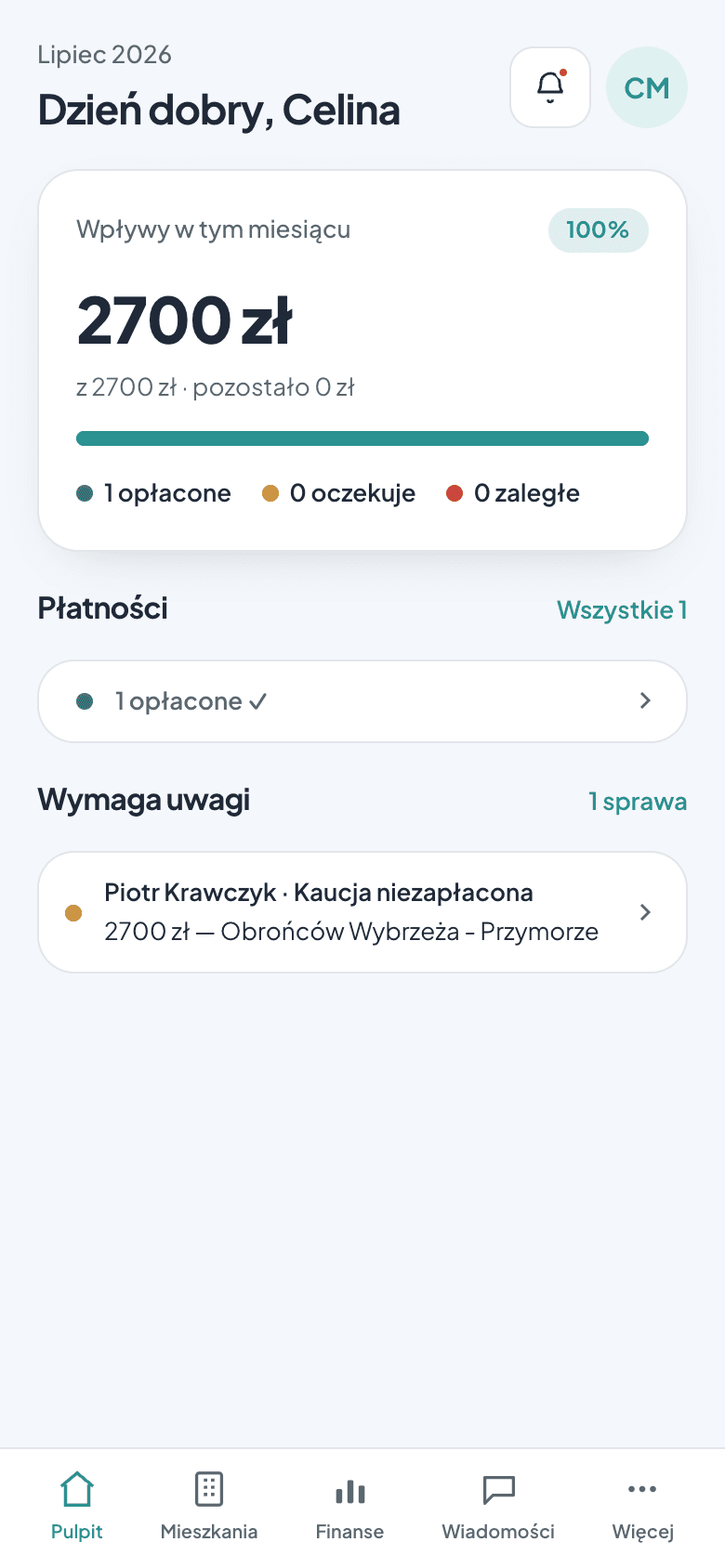
Rent, bills, tax and lease deadlines — Keyloo keeps track of them for you. When a tenant falls behind, it reminds them by push and email on its own, and you only hear about it when you actually need to act. 0% commission, tenant account free.
Are you a tenant? Sign in →
See Keyloo in 50 seconds
From a spreadsheet to a rental that runs itself. The video is in Polish.
Rent didn't come in? Keyloo chases it for you.
10 September
Rent 3,200 zł — due today
Tenant received a payment link — QR code or Revolut
13 September
No payment
Keyloo reminded the tenant — push and email
15 September
Still no payment
Keyloo sent another reminder
17 September
Needs your attention
Keyloo lets you know: push, email and SMS
Keyloo also keeps an eye on
Electricity — settlement due 20 September
reminds you before the deadline
Flat-rate tax for September — due 20 October
amount worked out from real payments
Lease — ends in 72 days
reminds you well ahead
Automatic tenant reminders are part of the paid plans — your first 30 days are free.
- 30-day free trial, no card required
- Tenant account free
- Data hosted in the EU, GDPR-compliant
- Templates and deadlines kept up to date with the law
Five tools before. One now.
Word, OLX, a notebook, WhatsApp, email and your banking app — private renting used to be spread across several tools at once. Keyloo brings that whole workflow into one app.
Renting out? Renting? Or both?
Other apps make you pick one role and open separate accounts. In Keyloo, landlord and tenant live in one app — and if you're doing both at once, you switch context with a single tap.
For landlords
Properties, tenants, leases, rent and tax — all visible without updating a spreadsheet.
For tenants
Pay rent with a bank-transfer QR code, report an issue with a photo, and keep the lease and payment date at hand.
Both at once
Renting out one property while renting one yourself? One login, two contexts — no second account, no second password. Switch with a single tap.
How it works
From an empty property to rent paid.
Watch how to add a property — 0:50 on YouTube (in Polish)
Add a property
Address, photos and rent — set up a property record in minutes, and AI writes the listing description.
Invite your tenant
The tenant gets a link by email, creates a free account and immediately sees the lease and payments.
Sign the lease
A template and an online e-signature — no printing. The finished PDF lands in your lease documents.
Get paid
Rent is charged automatically every month. The tenant pays from a bank-transfer QR code or a Revolut link with the amount pre-filled (0% commission) and reports the payment in the portal. You check that the money reached your account and confirm it with one tap — both of you can see the rent status in one place.
Settle your tax
8.5% / 12.5% flat-rate rental tax (ryczałt) calculated automatically from actual income — you know how much and by when.
Step-by-step tutorials
Short videos (in Polish) showing the desktop and the phone side by side — and the tenant's phone where it matters.
- How to add a property0:50 · on YouTube
- Tenant and an e-signed lease1:39 · on YouTube
- Tenant and your own lease (scan)1:58 · on YouTube
- Rent: payment confirmed in one click2:00 · on YouTube
- Repairs with a contractor: from report to fix1:59 · on YouTube
- Electricity bill settled with the tenant1:48 · on YouTube
- Rental finances in one place1:15 · on YouTube
- Handover report signed by the tenant1:48 · on YouTube
- Listing and tenant candidates1:30 · on YouTube
- Late rent: reminder and payment demand1:12 · on YouTube
- Rental tax: flat rate from received rent1:15 · on YouTube
- Ending a lease and settling the deposit1:44 · on YouTube
- Tenant portal: what your tenant sees1:18 · on YouTube
The tenant's electricity settlement prepares itself. You just confirm the amount.
Depending on your supplier, we integrate automatic invoice download, reading and settlement creation. You just confirm the amount and send the settlement to your tenant.
- 1
Invoices download themselves
Keyloo integrates with your electricity supplier and fetches new invoices on its own — no digging through your inbox or the supplier's portal.
- 2
AI reads the invoice
Amount and period read automatically from the PDF, the tenant matched from the lease, a ready settlement prepared. We warn you if the invoice was already settled.
- 3
Confirm and send
One click — the tenant gets the amount with a QR code for the transfer and the invoice in their portal. You confirm the payment just like rent.
We handle invoices from PGE, Tauron, Enea, Energa, E.ON and PKP Energetyka — and any PDF you upload yourself. Supplier not on the list? Tell us: we will add it.
Nothing reaches your tenant without your confirmation — you see every settlement with its invoice first.
Already have a tenant? Add them right away.
Found someone on Otodom, OLX, or through a referral? With Keyloo you start the lease straight away — agreement, payments and contact in one place.
See what each property really earns
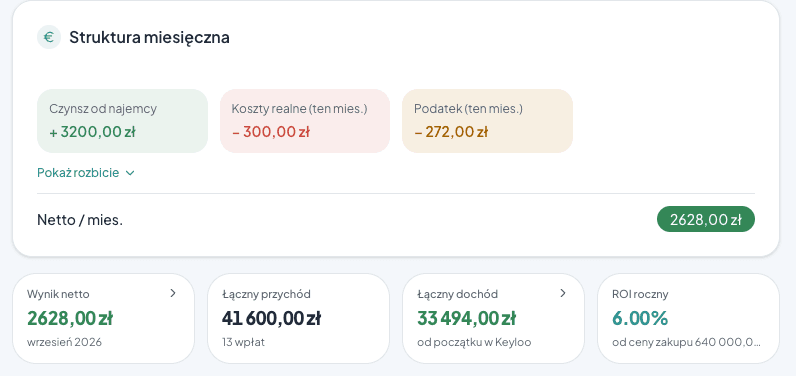
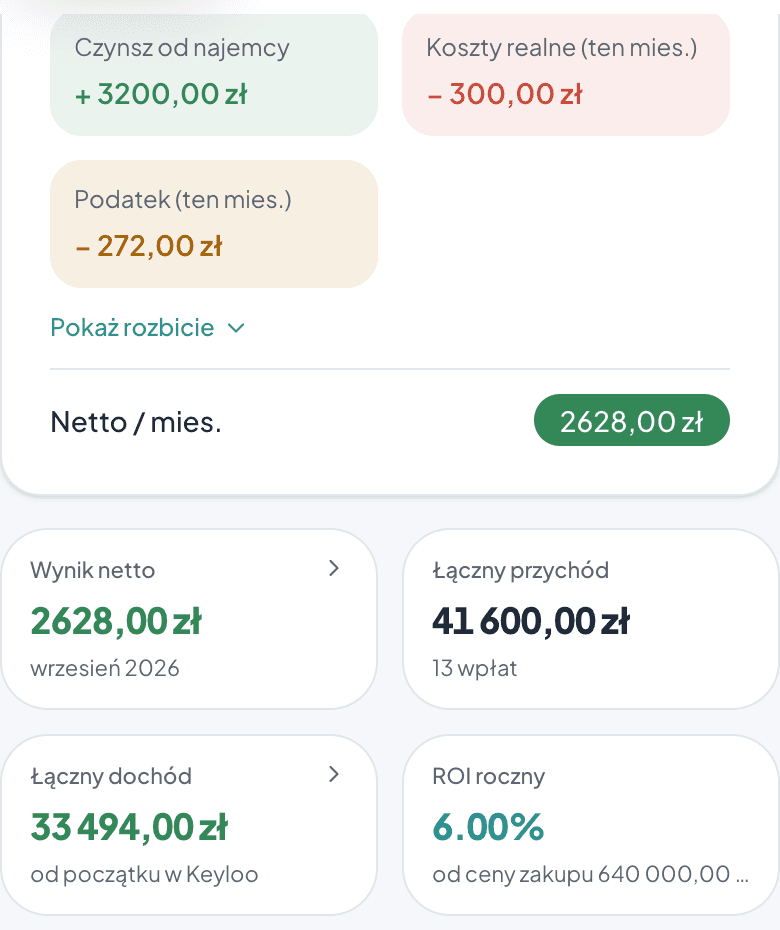
Not “rent minus nothing”. Keyloo works from real payments and the costs you enter once: what is left after fees and flat-rate tax — every month, per property and for the whole portfolio.
- Net result every monthIncome − costs − tax. Based on what the tenant actually paid, not on the lease.
- Annual ROI on purchase priceEnter what you paid for the flat and see the yearly return after costs and tax.
- Portfolio since day oneTotal income and total net across all properties — the one number you want to know.
- Monthly statement for PIT-28Every month broken down into income, costs and tax. Downloadable when tax season comes.
Keyloo vs Excel + WhatsApp
What most landlords fight every month — and what it looks like in Keyloo instead.
For landlords
Rent charged automatically, paid in one tap
Every month Keyloo creates the rent charge itself and gives your tenant a ready payment link: a bank-transfer QR code or — if you settle via Revolut — a link that opens Revolut with the amount and reference pre-filled. 0% commission, money straight into your account. Keyloo reminds them by push and email when a payment is overdue, and you confirm the payment with one tap.
A lease that protects you
Keyloo suggests an occasional lease (najem okazjonalny) where possible, calculates the deposit and notice period under current law and keeps the handover protocol on track. Templates and deadlines are updated whenever the statute changes.
Arrears: from a reminder to a formal demand
When a due date passes, Keyloo reminds the tenant automatically and — if the arrears continue — lets you know too. The tenant's card shows the full contact history for the case and a suggested next step, and you generate a formal payment demand with the lease details in one click — a 7-day deadline and, for longer arrears, a statutory notice of possible termination.
No deadline to remember
Rent, tax, insurance, electricity settlement, lease end — every rental deadline on one timeline. Keyloo reminds you by push and email before a deadline passes, so nothing slips through.
Lease and renewal, nothing to print
A lease agreement signed online, with full version history in one place. When the lease is ending, Keyloo reminds you, prepares a new one with the updated terms, suggests a rent adjustment for GUS inflation, and sends it to the tenant for e-signature. Once it's signed, the new rent and payment schedule switch over on their own.
Result and ROI of every property
Income, costs, tax and net result every month, annual ROI on the purchase price and total portfolio net — from real payments, not a spreadsheet.
Know exactly how much tax to set aside
Know how much to set aside for tax — flat-rate rental tax (ryczałt) at 8.5% / 12.5%, calculated from real income, no spreadsheet needed.
Every tenant conversation in one thread
Message your tenant directly in the app — no more digging through WhatsApp and texts for what you agreed.
Your tenant checks things themselves instead of texting you
Your tenant gets their own account — they see payments, the lease and documents themselves. Fewer questions for you.
Move-in and move-out, step by step
A wizard walks you through adding a tenant with a handover protocol, and through ending a lease the compliant way — with current statutory notice periods and a built-in legal guide.
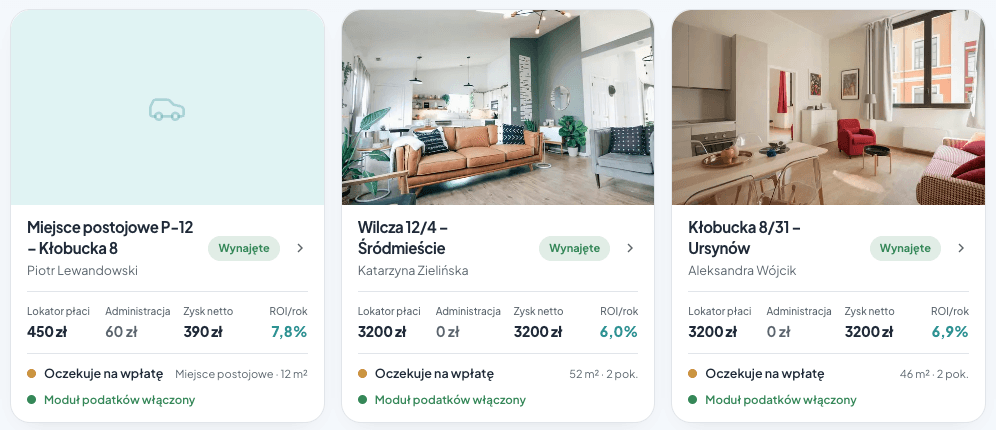
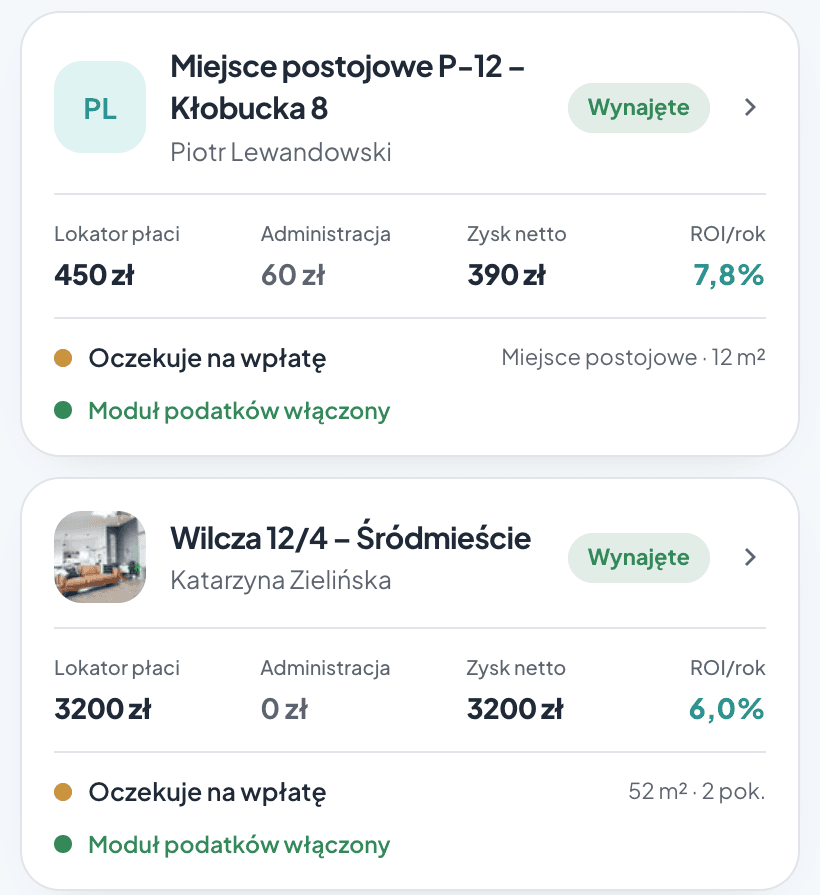
Apartments and garages on one list
Renting out a parking space too? Add it as a separate property. Keyloo knows it is not an apartment — and handles it under the right rules.
- Separate property, its own tenantNo rooms or electricity billing. Rent, payments and arrears for the space sit next to your apartments.
- Civil Code lease and rulesBuilt-in parking space lease template. Notice and arrears follow the rules for a garage, not an apartment — no occasional lease.
- Same flat-rate tax, one thresholdParking rent counts toward the same 100,000 PLN threshold as your apartments. Tax is calculated together.
Missing a feature? Let’s talk — we’re happy to build it.
Keyloo grows from the needs of the landlords and property managers who use it. Tell us how you run your rentals today and we’ll help you simplify the process and keep manual work to a minimum.
We act on your needs
Customer requests come straight to us — many Keyloo features started as exactly these conversations.
We optimise your process
We’ll walk through how you work and suggest what can be done faster and more simply.
Minimal manual work
What you repeat every month — reminders, charges, documents — should just happen on its own.
See Keyloo in action
Deadlines, payments and arrears on one dashboard
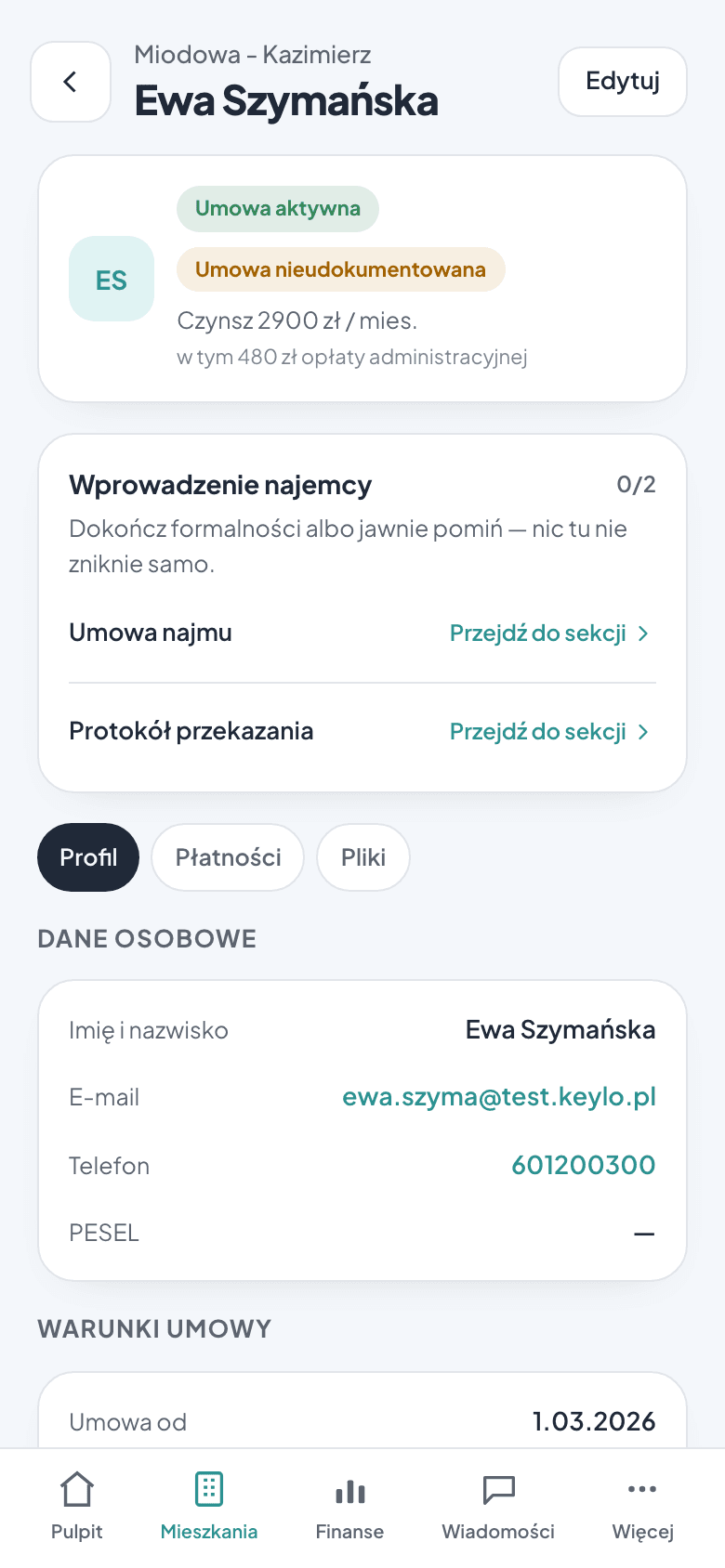
Guides you through starting a lease — contract and protocol
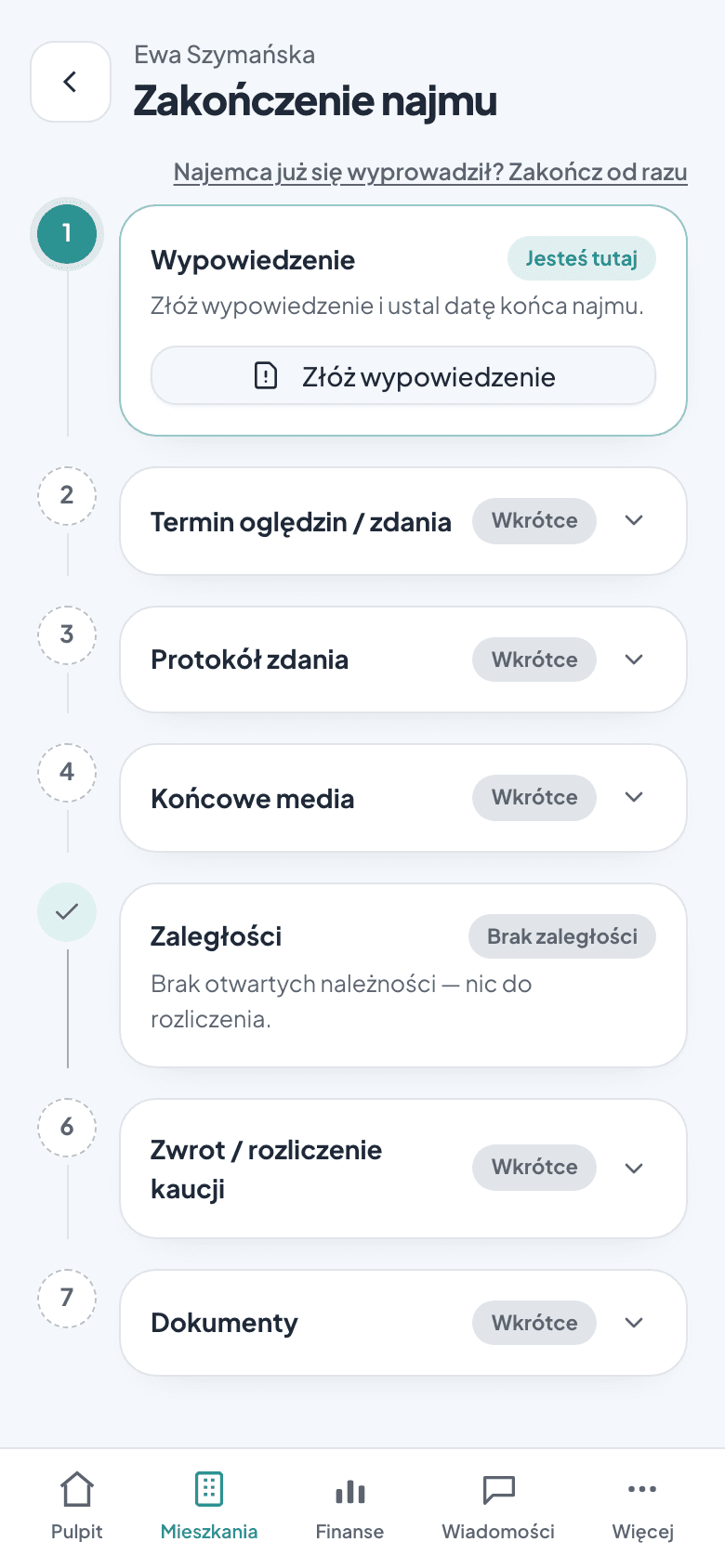
End a lease step by step — nothing slips through
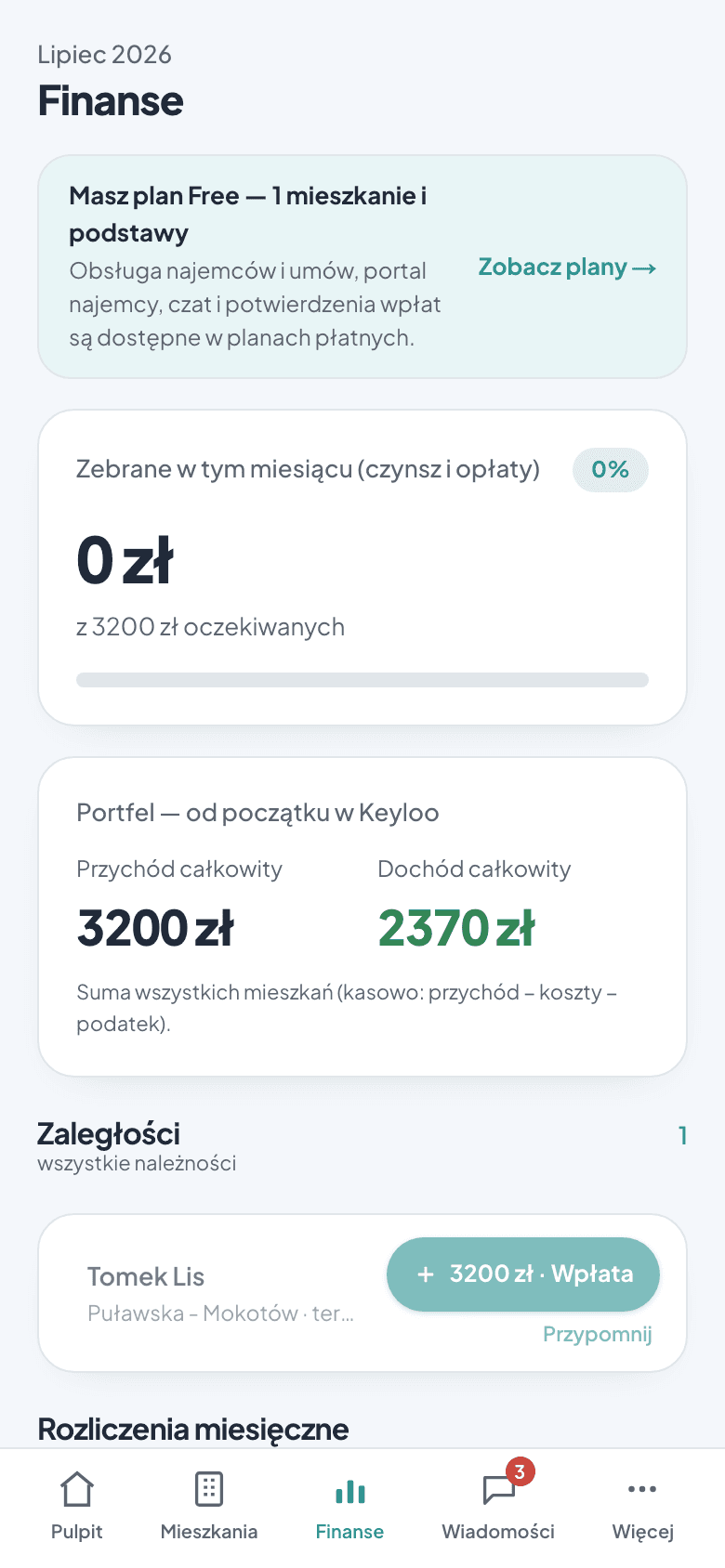
Track payments, arrears and tax — no spreadsheet
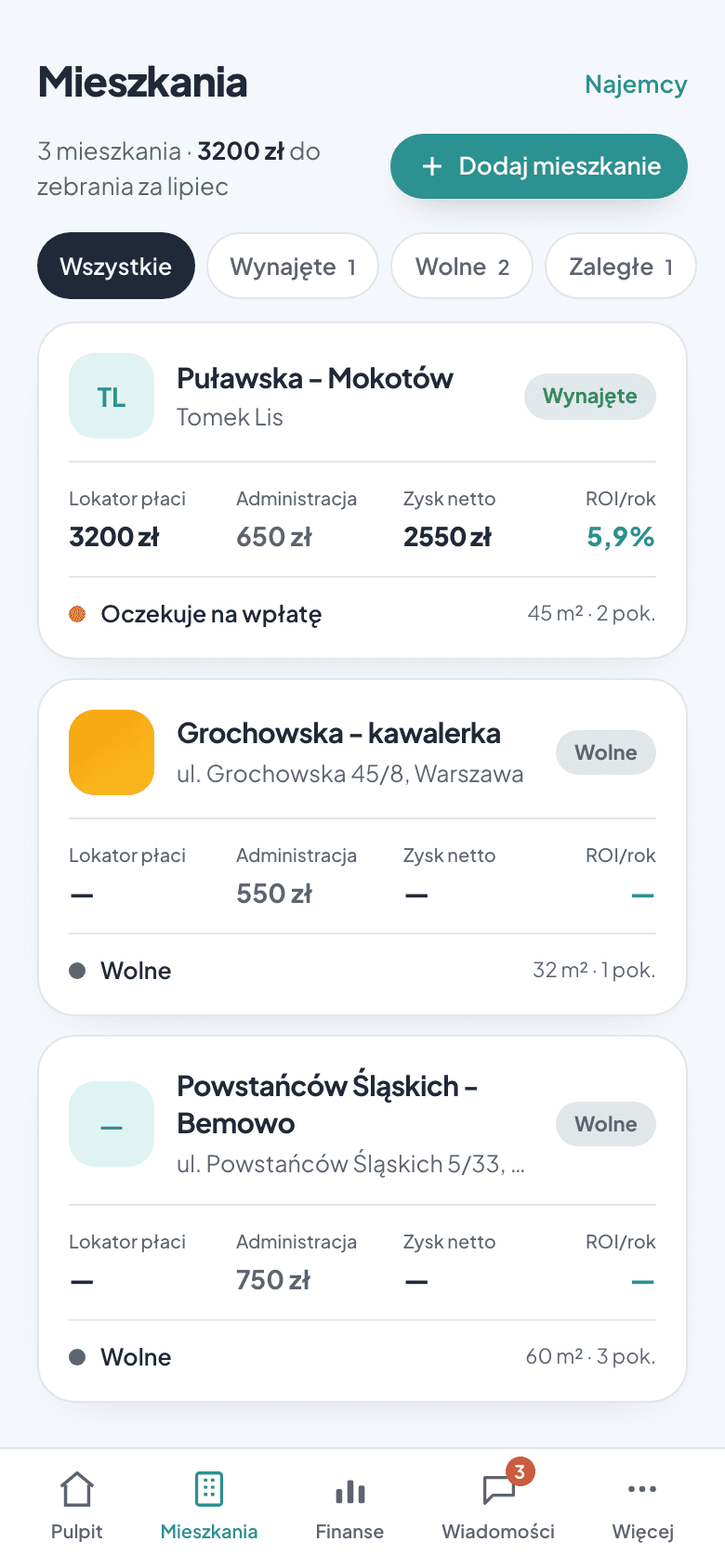
Every property: lease, rent and profitability
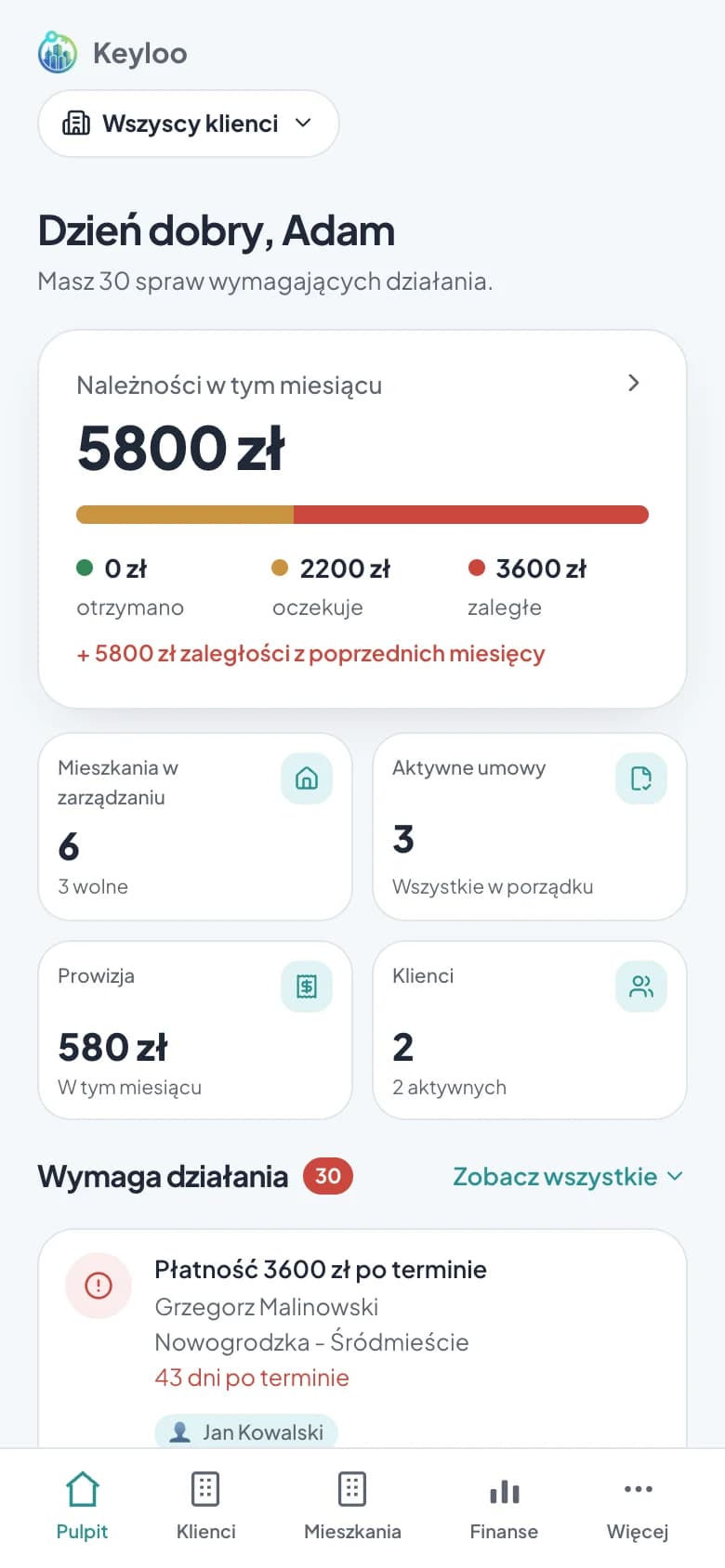
Agency dashboard: every flat and everything that needs action
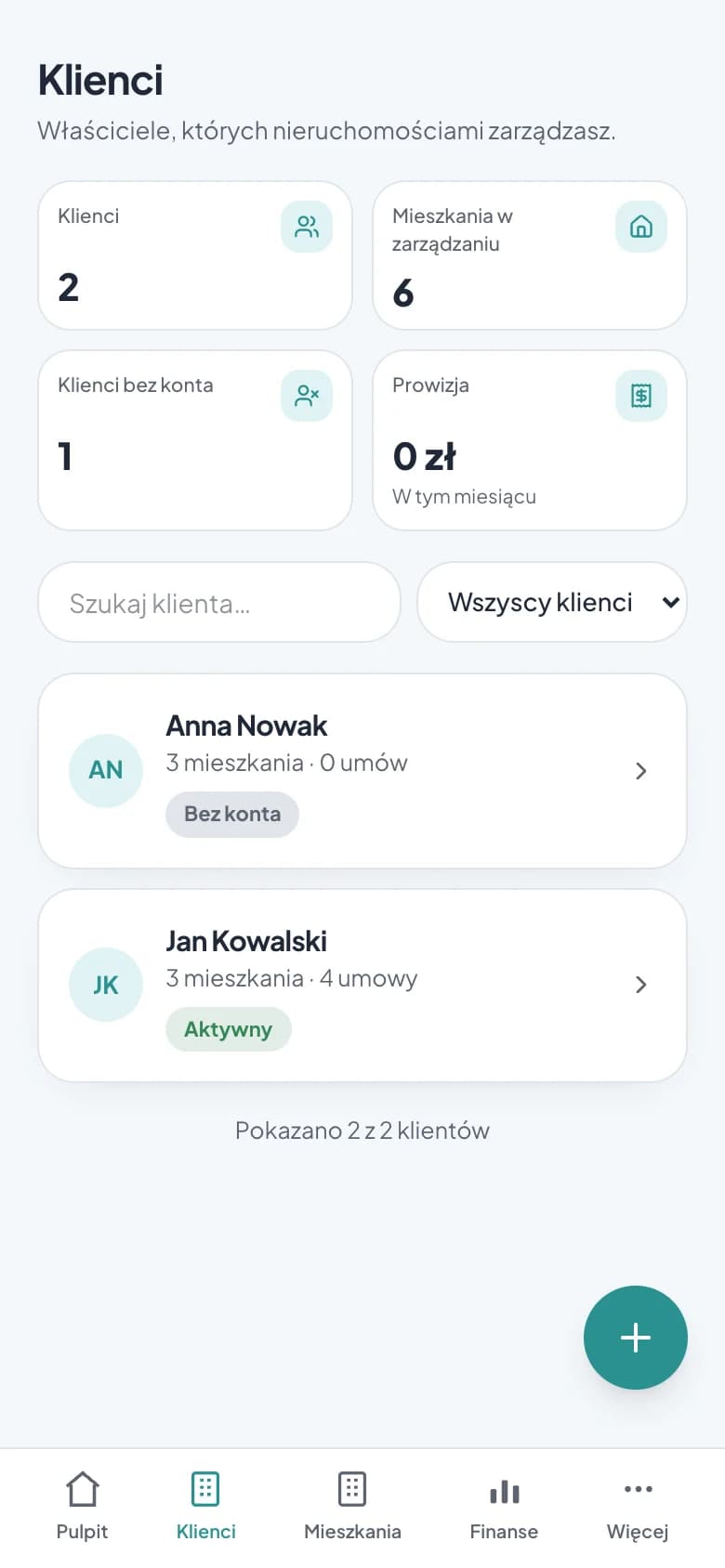
Clients: owners and their portfolios in one place
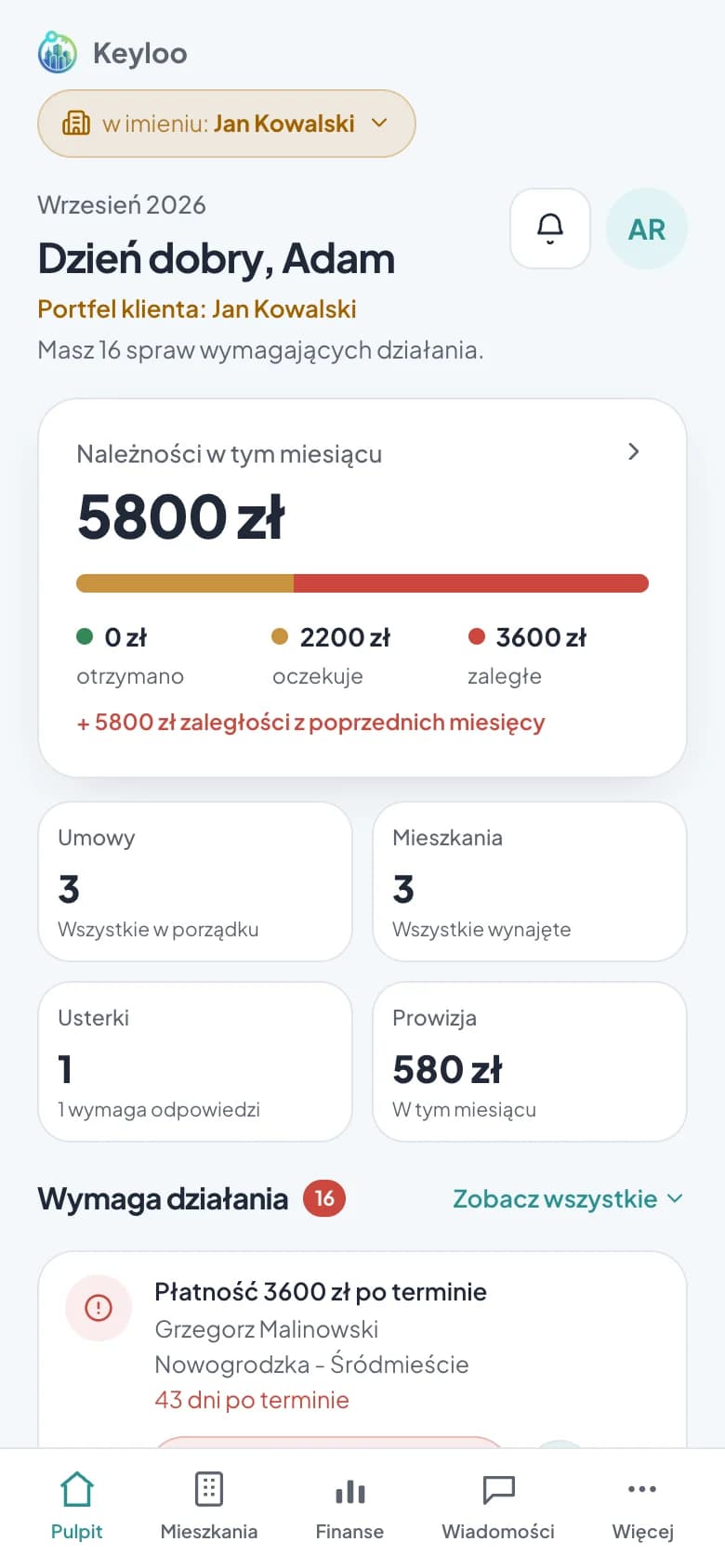
Client portfolio: the same dashboard, one owner's data
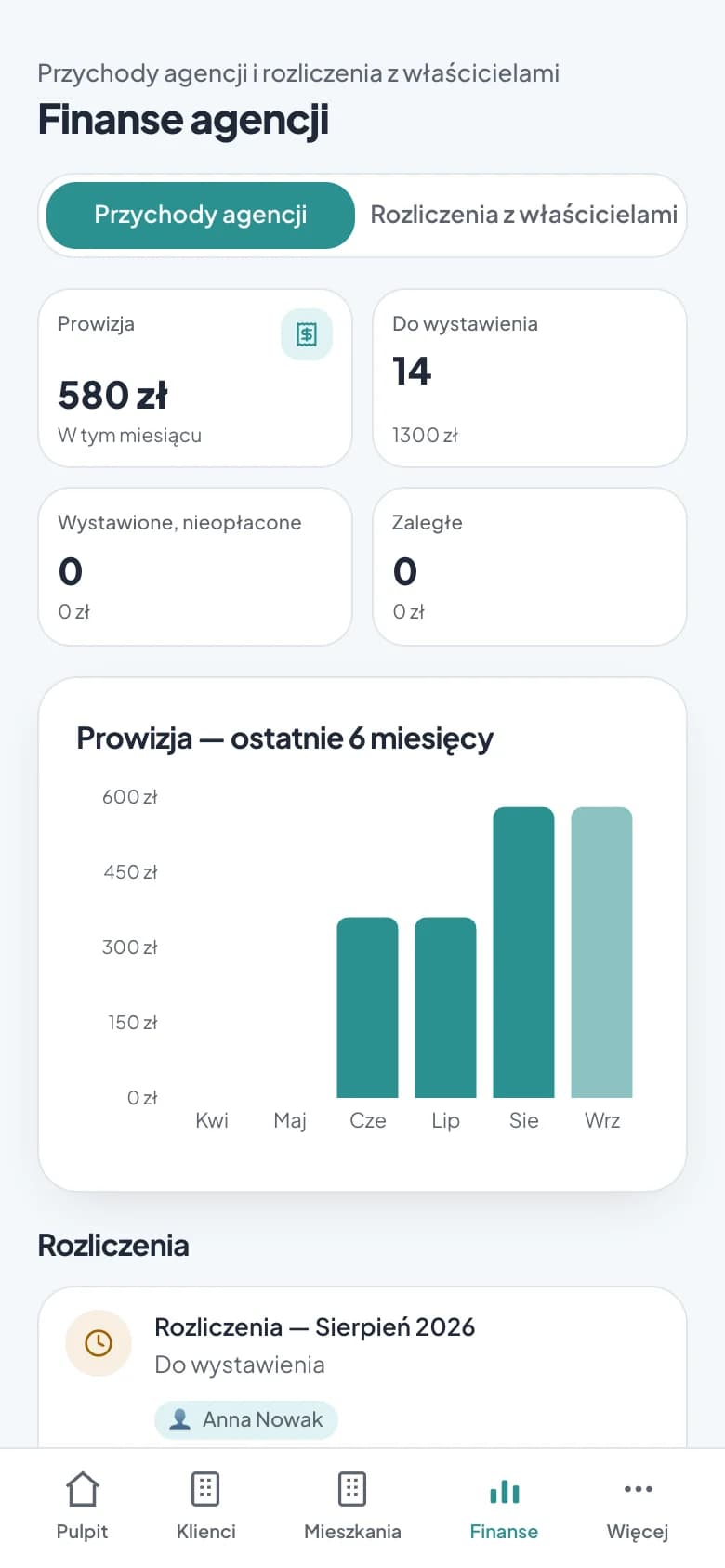
Finances: receivables, arrears and commissions — no spreadsheets
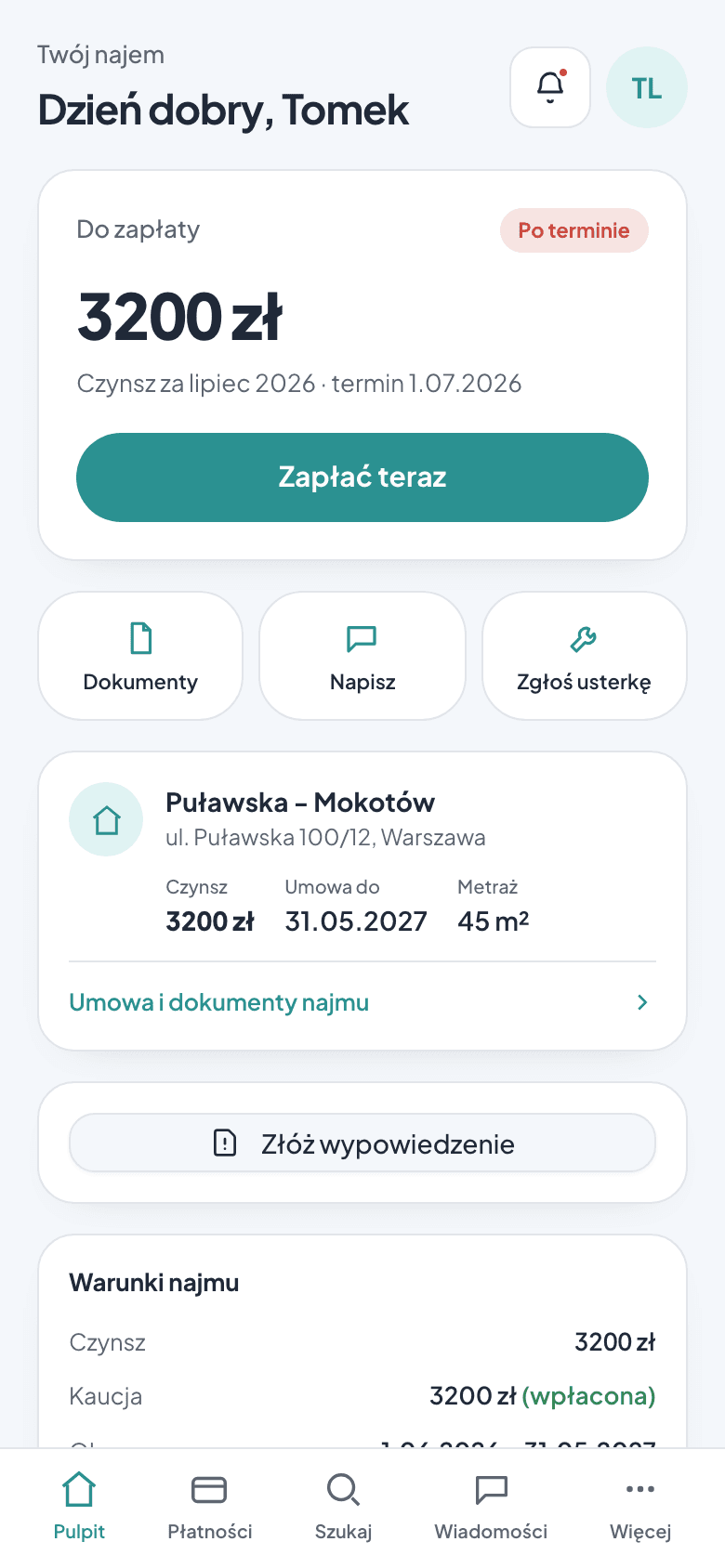
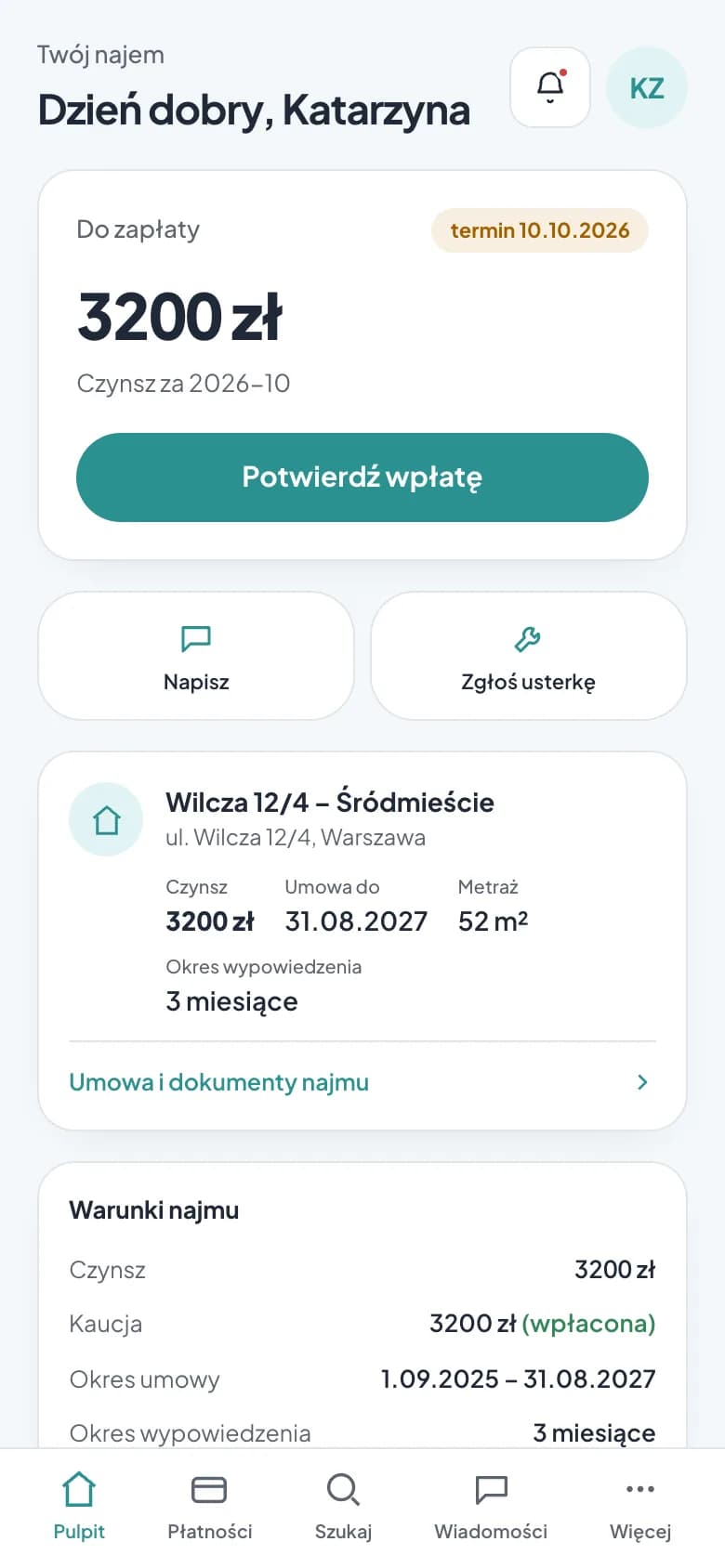
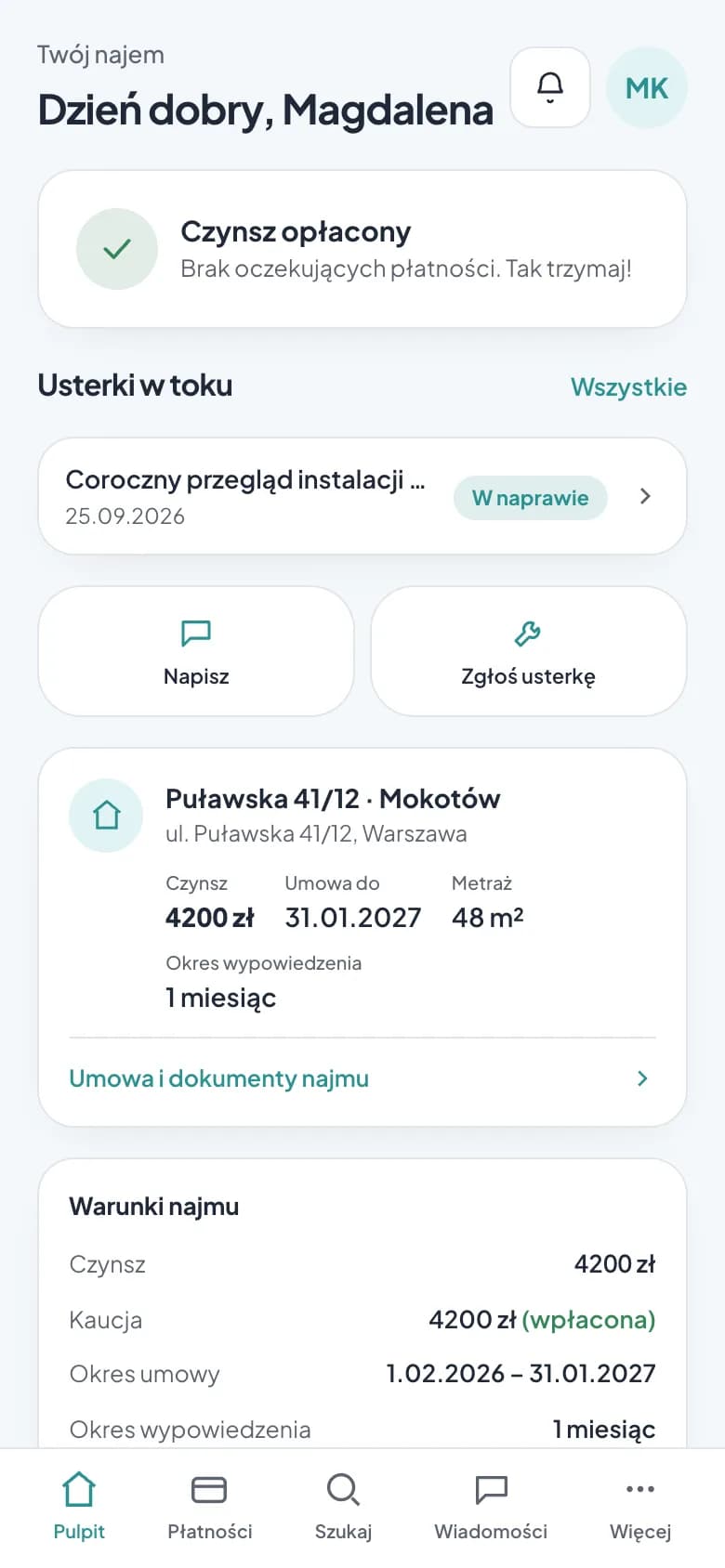
Rent, lease and notice all in one place
For tenants
QR code or Revolut link
Scan the code in your banking app or tap the Revolut link — the amount and reference are already filled in. Pay in seconds, without typing anything.
Documents always at hand
Lease, protocols and payment confirmations in one place, available from your phone.
Issues and contact
Report a problem with a photo and message your landlord directly in the app.
Several rentals, one account
Renting a flat and a parking space, or two places from different landlords? Accept the next invitation with the same email and switch between them in the portal.
References from your rental historyComing soon
Pay on time? Ask your landlord for a reference and Keyloo prepares it from your payment history — with a link your next landlord can use to check it is genuine.
Just like a regular app — no App Store
Keyloo is a web app (PWA). Add it to your home screen with one tap and it works like a native app — full screen, offline too.
- Open keyloo.app in Safari
- Tap the Share icon (square with an arrow)
- Choose “Add to Home Screen”
- Done — the Keyloo icon is now on your home screen
- Open keyloo.app in Chrome
- Tap the ⋮ menu in the top-right corner
- Choose “Install app”
- Done — Keyloo works like a regular app
Plans that scale with your portfolio
Free
List your property, work out your tax and prepare a lease for signing — free, forever.
Up to 1 property
Solo
Rent that looks after itself — for 1–2 properties.
Up to 2 properties
Plus
66 zł/month billed annually
A portfolio of 3–5 properties, with every feature kept as you grow.
Up to 5 properties
Pro
from 124 zł/month billed annually
For portfolios of 6 or more properties — 10 units included in the base price, +5 zł for each extra one, never more than 249 zł/month.
10 properties included · +5 zł/month for each extra one · capped at 249 zł/month
New accounts get 30 days of the Plus plan free, no card required. Prices include VAT.
Running a property management agency? The Agency plan starts at 199 zł/month net. See the Agency plan
Frequently asked questions
Does the tenant pay for the app?+
No. The tenant portal is always free for tenants — they see their payments, lease and documents at no cost.
Does Keyloo take a commission on rent?+
No, 0% commission. Money goes straight to the landlord's account (bank transfer from a QR code or a Revolut link) — Keyloo never touches the payment itself, it just tracks status and sends reminders.
Can I collect rent via Revolut?+
Yes. Add your Revolut revtag to the lease and, with every rent charge, Keyloo creates a revolut.me link for your tenant with the amount and reference pre-filled — on a phone it opens Revolut straight on the send screen. No account number to share, no commission. You confirm the payment in Keyloo with one tap.
How does online contract signing work?+
You generate a lease from a template and the tenant gets a link to sign it electronically — in the browser, no printing. E-signatures are not available on the Free plan; every paid plan (from Solo up) has unlimited e-signatures.
What happens when a lease is ending?+
Keyloo reminds you ahead of time (dashboard, push and email). You renew with a new lease: the terms are pre-filled from the current one, you can change the rent — Keyloo suggests an adjustment for GUS inflation — and send it to the tenant for e-signature. Once it's signed, the new rent and payment schedule switch over on their own. You can also start the guided move-out process instead.
Will Keyloo help me file my flat-rate tax (ryczałt)?+
Yes. The built-in flat-rate rental tax (ryczałt) calculator at 8.5% / 12.5% is available on every plan, and the paid plans (from Solo up) add exports and summaries for your PIT-28 return.
Will Keyloo help me end a lease legally?+
Yes. A guided move-out process walks you through each step with current statutory notice periods, and a built-in legal guide explains the rules for both occasional lease (najem okazjonalny) and standard tenancies.
What if the tenant doesn't pay?+
Keyloo guides you through the arrears case: it reminds the tenant automatically, and if arrears continue it notifies you and suggests the next step. You generate a formal payment demand with the lease details in one click — a 7-day deadline — and the contact history for the case is always on the tenant's card.
Does Keyloo screen tenants before signing?+
We do not verify identity or check debtor registers — specialised services do that. Keyloo does keep a payment history for every lease. We are working on references: the tenant asks the landlord, Keyloo prepares them automatically from the payment history, with a verification link for the next landlord.
What is the handover protocol in Keyloo?+
It records the condition of the property when you hand over the keys and when the tenant moves out — you fill it in inside the app, and it stays in the lease history alongside the contract.
How do I invite a tenant?+
You send an invitation by email straight from the app. The tenant creates a free account and immediately sees their payments, lease and documents.
Are my data and documents safe?+
Documents live in private file storage — accessible only through the app, after signing in. You can export your data (GDPR) at any time or delete your account, after which the data is permanently erased following a 30-day grace period.
I'm missing a feature. What do I do?+
Write to us at kontakt@keyloo.app or from the app (Settings → Help). We’d be glad to hear what’s missing and check whether we can add it.
Do I need to install anything?+
No. Keyloo runs in the browser on your phone and computer, and if you like, you can add it to your home screen like a regular app.
Stop chasing rent payments
Create a free account and add your first property in minutes — no card required, with 30 days of the Plus plan to start.
Create a free accountMissing something? Email us at kontakt@keyloo.app — we’re happy to help.